Attendance
The Attendance module in an HRM application is designed to monitor and manage employee attendance, punctuality, and working hours. This module automates attendance tracking, improves accuracy, and supports payroll processing by capturing attendance data, managing shifts, and providing insights for workforce planning.
Manual Attendance
Allows HR Team to punch manual checkIN / checkOUT, leaves, holidays, OT etc,. to employees when required.
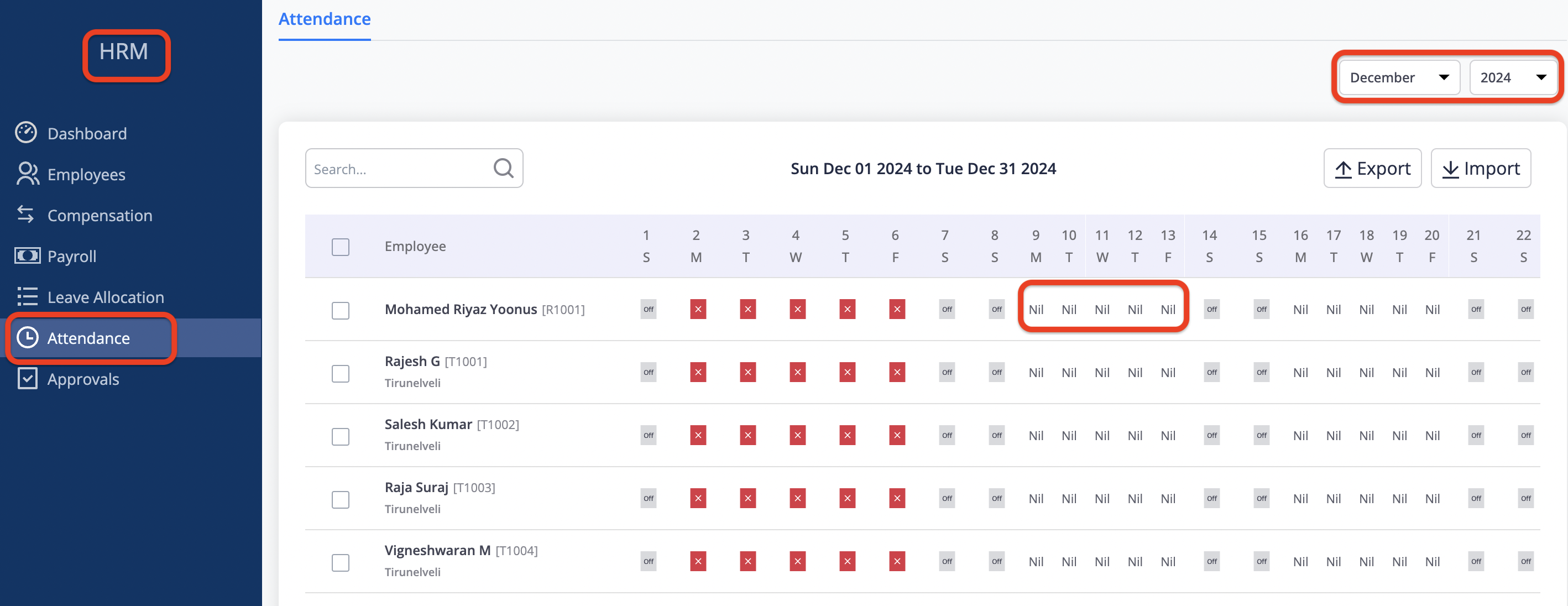 Fig 6.1
-
In HRM --> Click Attendance --> Attendance screen will be displayed with the current month and year.
-
By selecting month and year the attendance sheet will be displayed.
-
Click on the Cell of employee and date to punch manual attendance.
-
New wildow will be opened to punch attendance (refer Fig 6.1)
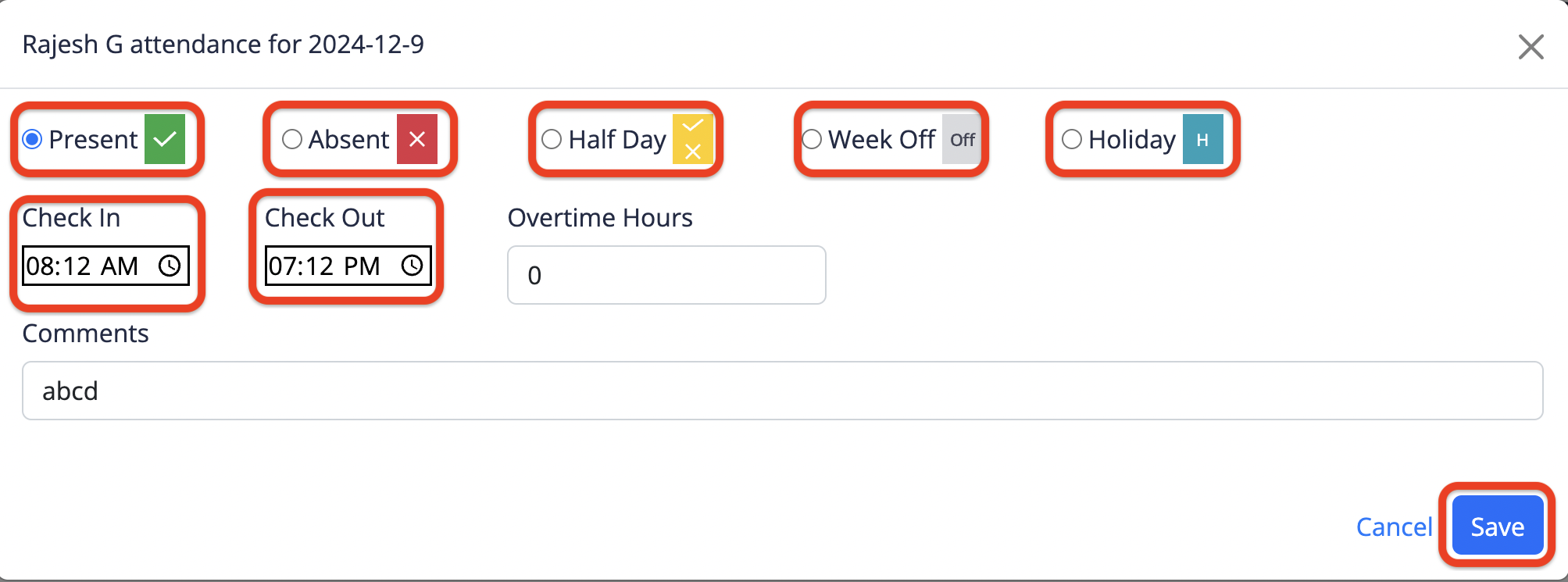 Fig 6.2
-
If Employee is present for the day, Select the Present option and enter the IN/OUT time and enter the comment and click save button to save the record.
-
If employee is absent for the day, Select the Absent option and enter the comment and click save button to save the record.
-
If employee is half day present for the day, Select the Half day option and enter the IN/OUT tome and enter the comment and click save button to save the record.
-
If the day is week off for employee it will be automatically picked from the leave allocation or can be applied manually by selecting week Off option and click the save button to save the record.
-
If the day is company allocated or festival holiday, it will fetch from the leave allocation or it can be applied manually. (refer Fig 6.2)
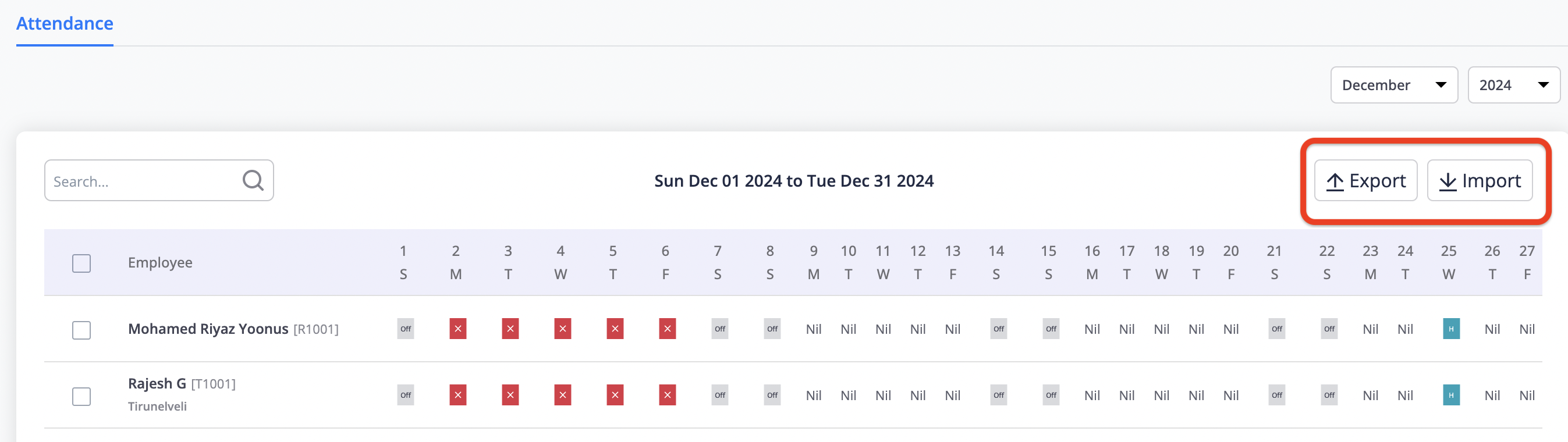 Fig 6.3
Import / Export File
-
Import allows to upload the attendance file manually to load employee attendance is a structured format.
-
Click the import button it allows to browse and select the structure format file and click upload button to load attendance.
-
Export allows to get attendance data from the HRM system.
-
Select the employees one or more which need to be exported and click the export button and the data of selected employee will be exported in the selected format. (refer Fig6.3)